
On a lot of projects, I use NUnit for unit testing, usually I create a separate project that contains only the tests.
There tools that integrate fully with the Visual Studio, like ReSharper or TestDriven.NET, but they cost money and you can’t run them on Express editions.
So I’ve made this useful shortcut to easily run it for the current (test) project. Screenshots are made on Microsoft Visual Studio 2010 Professional running on Windows 7.
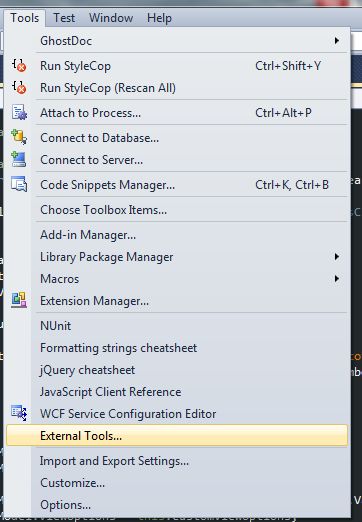
I have added the that “NUnit” item in the External Tools section – it’s pretty easy to do.
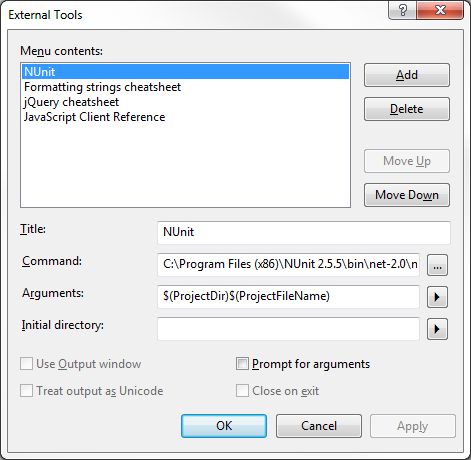
Click on the “External Tools…” item to bring up the dialog, then click “Add”.
I have used just NUnit as the title, but you could put anything.
The full command looks like this:
C:\Program Files (x86)\NUnit 2.5.5\bin\net-2.0\nunit.exe
The arguments are:
$(ProjectDir)$(ProjectFileName)
That’s it – now you can easily run the tests from the Visual Studio without opening NUnit and hunting down the test project.
Leave a Reply