Category: Encounter

  • ArchiveBox: Open-source self-hosted web archiving.

    https://github.com/ArchiveBox/ArchiveBox

    ArchiveBox is a powerful, self-hosted internet archiving solution to collect, save, and view sites you want to preserve offline.

    You can set it up as a command-line tool, web app, and desktop app (alpha), on Linux, macOS, and Windows.

    You can feed it URLs one at a time, or schedule regular imports from browser bookmarks or history, feeds like RSS, bookmark services like Pocket/Pinboard, and more. See input formats for a full list.

    It saves snapshots of the URLs you feed it in several formats: HTML, PDF, PNG screenshots, WARC, and more out-of-the-box, with a wide variety of content extracted and preserved automatically (article text, audio/video, git repos, etc.). See output formats for a full list.

    The goal is to sleep soundly knowing the part of the internet you care about will be automatically preserved in durable, easily accessible formats for decades after it goes down.

  • How Technology Architects make decisions

    Great consideration of necessity for documenting technology decision making. Also, difficulties of culture and mentality changes.

    • Compensatory. This type of decision considers every alternative, analysing all criteria in low-level detail. Criteria with different scores can compensate for each other, hence the name. There are two types here:
      • Compensatory Equal Weight – criteria are scored and totalled for each potential option, the option with the highest total signifies the best decision. 
      • Compensatory Weighted Additive (WADD) – here a weighting is given for a criterion to reflect significance (the higher the weighting, the higher the significance). The weighting is multiplied by the score for each criterion, then each alternative is summed, the highest total winning. 
    • Non-Compensatory. This method uses fewer criteria. The two types are:
      • Non-Compensatory Conjunctive – alternatives that cannot meet a criterion are immediately dismissed, the winner is chosen among the survivors. 
      • Non-Compensatory Disjunctive – an alternative is chosen if it complies with a criterion, irrespective of other criteria. 

    Compensatory decisions are suitable when time and resources are available to   

    • gather the right set of alternatives, 
    • evaluate each alternative in detail
    • score each with consistency and precision. 

    Non-Compensatory decisions are necessary when

    • there is time stress
    • the problem is not well structured  
    • the information surrounding the problem is incomplete
    • criteria cant be expressed numerically
    • there are competing goals
    • the stakes are high
    • there are multiple parties negotiating in the decision. 
  • ribosome (A simple generic code generation tool)

    A simple generic code generation tool

    Source: ribosome

  • Joplin (open source note taking app)

    Joplin
    An open source note taking and to-do application with synchronisation capabilities

    https://joplinapp.org/

  • The pedantic checklist for changing your data model in a web application

    https://rtpg.co/2021/06/07/changes-checklist.html

    Quote:

    Let’s say you have a web app with some database. In your database you have an Invoice model, where you store things you are charging your customers.

    Your billing system is flexible, so you support setting up tax inclusive or exclusive invoices, as well as tax free invoices! In this model you store it as:

    class Invoice:

    is_taxable: bool
    is_tax_inclusive: bool
    You use this for a couple of years, write a bunch of instances to your database. The one day you wake up and decide that you no longer like this model! It allows for representing invalid state (what would be a non-taxable, but tax-inclusive invoice?). So you decide that you want to go for a new data model:

    class TaxType(enum.Enum):
    no_tax = enum.auto()
    tax_inclusive = enum.auto()
    tax_exclusive = enum.auto()

    class Invoice:
    tax_type: TaxType
    You write up this new code, but there’s now a couple problems:

    Your database’s data is all in the old shape! You’ll need to move over all your data to this new data model.
    You’re a highly available web app! You’re not gonna do any downtime (well, planned, anyways) unless you can’t avoid it.
    Your system is spread across multiple machines (high availability right?) so you have to deal with multiple versions of your backend code running at the same time during a deployment.
    There’s a whole list of steps you have to do in order to roll out this change. There’s a whole thing about “double writing”, “backfilling” etc. But there’s actually a lot of steps when you end up actually needing to make a backwards-incompatible change!

    I feel like I know this list, but every once in a while I end up missing one step when I go off the beaten path, so here’s the list, with every little step required, in all the pedantry.

    An important detail here is that you need to roll out each version one-by-one. You can have some parts of your system on Version 3 and others on Version 4. But if you have some of your system on Version 3 and others on Version 5, you will hit issues with data stability. This makes for a lot of steps! Depending on your data model, you might be able to fuse multiple versions into one (especially when you have a flexible system).

    Version 0: Read/Write Old Representation
    The initial version of your application is using the old model, of course. This is your starting point, and it might not actually be ready for us to start introducing a new model (especially if your application <-> DB layer is particularly strict about what it receives)

    Version 1: Can Accept The New Representation
    This version will be able to read your data and not blow up if the new representation is present. This doesn’t mean you are using the new representation for anything! Just that you can handle it.

    A lot of systems don’t actually require this as a distinct step. You can add a new column to a database and have existing queries continue to work just fiine. But there are a couple places where you need to be more careful. Some examples:

    Adding a new value to an enumeration. If I only have tax_inclusive and tax_exclusive, I need to put into place no_tax-handling code before I start migrating data over to this (or having new rows use it).
    systems with strict validation. A system might have error paths when a new key starts appearing in some JSON dictionary, so you might need to add preparation code for this.
    Migration 1: Add The New Representation To The Database
    For an SQL database, this usually is about adding a new column to your database. Some databases might not need this step, and some data model changes might not need this (for example if you are just adding a new value into an enumeration, but the underlying data was stored as a string)

    Version 2: Write To Old + New Representation
    This version of your application will start filling in both representations on writes to your database. You still continue to read from the old representation (so that writes that happened with V1 of the application still make sense), and writing to the old representation means that during your V1 -> V2 deploy, V1 reads don’t get stale.

    Migration 2: Backfill The New Representation In Existing Data
    For any rows that haven’t been written to since you rolled out Version 2, you won’t have filled in the new representation of your data (maybe a user just hasn’t logged in for a while!). In order to make sure the new representation is ready to be read, this migration should go through all existing data and fill in the new representation.

    You need to do this after Version 2 is deployed, because if a Version 1 write happens during the migration, then the backfilled value will actually be stale. And you need to do this migration before you begin reading the new representation, so that old records can be properly read.

    Version 3: Read From The New Representation
    You have now filled out the new field, so you can read from it! However, you still need to be writing to both representations. Why? Because Version 2 of your application is still reading from the old field! During a deployment you’ll still have machines on previous versions, so you need to be compatible with coexisting, at least for the duration of a deploy.

    Migration 3: Remove Any Mandatory Constraints For Old Representation
    This is sometimes not needed, but if you are removing an old field that was once required, you’ll want to remove those constraints at this point. If you don’t do this, then once a version of the app is deployed which removes references to the old version, you will likely hit database constraint failures or the like.

    Version 4: Read/Write From The New Representation Only, Remove References To Old Representation
    At this point, the previous version was only writing to the old representation for backwards-compatibility reasons. So you can stop writing to the old representation, and have all read/write paths just hit the new one.

    At this point you also want to remove references to the old representation (in particular stuff like model fields), in preparation for the final migration.

    Migration 4: Drop The Old Representation Entirely
    Once you have version 4 out, queries should no longer be referencing the old representation at all. You should be good to go for just dropping this stuff entirely!

    This one you gotta be sure though, really hard to roll back this change.

    Once you’ve done that you’re good to close out that work!

    The Checklist
    Deploy Version 1 (Accept New Representation)
    Add New Representation To The Database
    Deploy Version 2 (Read Old/Write Old + New)
    Backfill The New Representation In Existing Data
    Deploy Version 3 (Read New/Write Old + New)
    Remove Any Mandatory Constraints For The Old Representation
    Deploy Version 4 (Read/Write New, Remove References To Old)
    Drop The Old Representation Entirely
    In your specific case it could be that some of these can be merged. I’ve found that these steps are general enough to cover the most scenarios safely. Though really, the best thing is to really understand why so many steps are needed and whether the characteristics of your system impose different constraints.

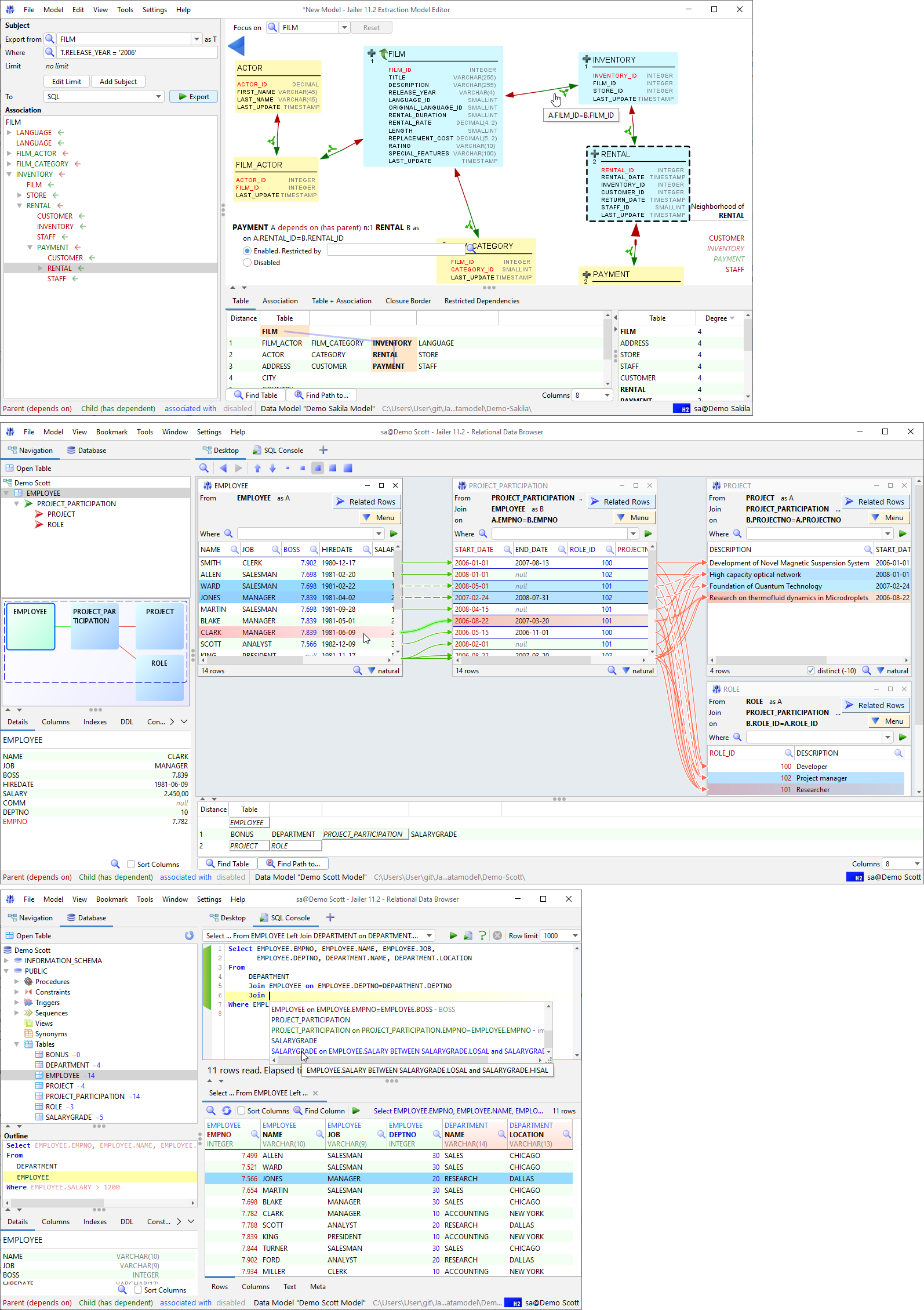
  • PlantUML – UML Diagramming Tool

    This looks like a great set of tools to create different types of UML diagrams from simple text representations. Uses Graphviz for some diagram types.

    https://plantuml.com/

    Quoting their website

    PlantUML is a component that allows to quickly write :

    • Sequence diagram
    • Usecase diagram
    • Class diagram
    • Object diagram
    • Activity diagram (here is the legacy syntax)
    • Component diagram
    • Deployment diagram
    • State diagram
    • Timing diagram

    The following non-UML diagrams are also supported:

    • JSON data
    • YAML data
    • Network diagram (nwdiag)
    • Wireframe graphical interface (salt)
    • Archimate diagram
    • Specification and Description Language (SDL)
    • Ditaa diagram
    • Gantt diagram
    • MindMap diagram
    • Work Breakdown Structure diagram (WBS)
    • Mathematic with AsciiMath or JLaTeXMath notation
    • Entity Relationship diagram (IE/ER)
  • Grady Booch – A thread regarding the architecture of software-intensive systems.

    Quoting Twitter thread by @Grady_Booch on 4th of September 2020.

    There is more to the world of software-intensive systems than web-centric platforms at scale.
    A good architecture is characterized by crisp abstractions, a good separation of concerns, a clear distribution of responsibilities, and simplicity.

    All else is details.
    You cannot reduce the complexity of a software-intensive systems; the best you can do is manage it.
    In the fullness of time, all vibrant architectures must evolve.

    Old software never dies; you must kill it.
    Some architectures are intentional, some are accidental, most are emergent.
    Meaningful architecture is a living, vibrant process
    of deliberation, design, and decision.
    The relentless accretion of code over days, months, years
    and even decades quickly turns every successful new project into a legacy one.
    Show me the organization of your team and I will show you the architecture of your system.
    All well-structured software-intensive systems
    are full of patterns.
    A software architect who does not code is like
    a cook who does not eat.
    Focusing on patterns and cross-cutting concerns
    can yield an architecture that is smaller, simpler, and more understandable.
    Design decisions encourage what a particular stakeholder can do as well as what constrains what a stakeholder cannot.
    In the beginning, the architecture of a software-intensive system is a statement of vision. In the end, the rchitecture of every such system is a reflection of the billions upon billions of small and large, intentional and accidental design decisions made along the way.
    All architecture is design, but not all design is architecture.

    Architecture represents the set of significant design decisions that shape the form and the function of a system, where significant is measured by cost of change.

    https://threadreaderapp.com/thread/1301810358819069952.html
    https://twitter.com/grady_booch/status/1301810358819069952?s=21
  • Detecting if a point is inside or outside of a path

    @FreyaHolmer

    my favourite way to see if a point is inside or outside a path, is using its winding number🍥 traverse the path from the perspective of a point and add up the amount of turning along the way if it made a full turn, it’s inside if it wound back to 0, it’s outside it’s so neat~

  • CSV-related tools and resources – AwesomeCSV

    The URL: https://github.com/secretGeek/AwesomeCSV

    The following content was taken from GitHub, authored by Leon Bambrick.

    Awesome CSV Awesome

    A carefully curated list of CSV-related tools and resources

    CSV remains the most futuristic data format from the distant past.

    XML has risen and fallen. JSON is just a flash in the pan. YAML is a poisoned chalice. CSV will outlast them all.

    When the final cockroach breathes her last breath, her dying act will be to scratch her date of death in a CSV file for posterity.

    Contents

    Here are some awesome tools for dealing with CSV:

    Tools

    • NimbleText/Live – Use patterns to manipulate CSV; the world’s simplest code generator *.
    • PapaParse – A powerful in-browser CSV parser.
    • d3-dsv – d3.js parser and formatter module for delimiter-separated values.
    • CSVKit – CSV utilities that includes csvsql / csvgrep / csvstat and more.
    • XSV – A fast CSV command-line toolkit written in Rust.
    • sed (gnu tool) – Stream editor.
    • gawk (gnu tool) – Text processing and data extraction using awk.
    • awk by example – Comprehensive examples of using awk.
    • Miller – Like sed / awk / cut / join / sort etc for name-indexed data such as CSV.
    • ParaText – CSV parsing at 2.5 GB per second.
    • CSVGet – Get structured data from sites as CSV.
    • CSVfix – A tool for manipulating CSV data.
    • Tad – A fast free cross-platform CSV viewer.
    • Nvd3-tags – A tiny library for making charts from csv data.
    • Powershell: Import-CSV – Powerful in-built facility for dealing with CSV (example).
    • CSV Tools – A collection of useful CSV utilities.
    • graph-cli – Flexible command line tool to create graphs from CSV data.
    • CSV to SQL – Online tool to create insert/update/delete etc from CSV data.
    • C#: kbCSV – An efficient, easy to use .NET parsing and writing library for CSV.
    • csvprintf – UNIX command line utility for parsing and formatting output based on CSV files.
    • Mockaroo – Random data generator for CSV / JSON / SQL / Excel.
    • Ron’s CSV Editor – Handles big files, does miraculous things. A timeless editor for a timeless format.
    • Rainbow CSV plugins – Collection of text editor plugins for CSV/TSV syntax highlighting. Available for Vim, VS Code, Atom, Sublime Text and other editors.
    • Mighty Merge – join/union csv files.

    Repair or Validate CSV

    • Csvlint.go – Command line tool for validating CSV files against RFC 4180.
    • csvstudio – A smart app to repair syntax errors in very large CSV files.
    • scrubcsv – Remove bad records from a CSV file and normalize (requires rust)
    • reconcile-csv – Find relationships between a set of related CSVs

    Generate Table Schema

    • CSV Schema — Analyzes a CSV file and generates database table schema, all within the browser
    • Wanted: More tools in this category.

    Treat CSV as SQL

    • TextQL – Execute SQL against CSV or TSV.
    • Datasette Facets – Faceted browse and a JSON API for any CSV File or SQLite DB.
    • q – Run SQL Directly on CSV Files
    • RBQL – Rainbow Query Language, a SQL-like language with JavaScript or Python backend.
    • PSKit Query — Powershell module lets you run simple queries over objects, including imported with csv

    Convert to or from CSV

    • CSV to Table – Convert CSV files to searchable and sortable HTML table.

    CSV <-> JSON

    • Agnes – Two way Csv to Json **.
    • csv2json – online tool to convert your CSV or TSV formatted data to JSON and vice versa.
    • csv-to-json – Easy, privacy-friendly and offline-first online csv to json converter.

    Essays

    Once you’ve found the perfect data serialization file format, you stop looking

    David Wengier

    Data

    Conferences

    • csv,conf – A community conference for data makers everywhere.

    Standards

    The wonderful thing about standards is that there are so many of them to choose from.<br />—(Possibly) Grace Hopper.

    META: Other similar lists

    • structured-text-tools – List of command line tools for manipulating CSV / XML / HTML / JSON / INI etc.
    • META-METAThis list as CSV.
    • META-META-META – A NimbleText pattern that produces this markdown page from this list as a CSV.

    Code of Conduct

    See Code of Conduct

    Funtribute

    To experience the fun of contributing, see Contributing

    Footnotes

    * <span id=’footnote1′ ></span> I’m the author of NimbleText. Of course I put it first on the list. If I didn’t personally rate it I wouldn’t have spent so much time making and improving it.

    ** <span id=’footnote2′ ></span> I wrote agnes but don’t really endorse it for others to use (thus haven’t migrated the source code to GitHub). It’s slow and non-streaming. I’d go with papa-parse. On the plus side, agnes has a more comprehensive test suite and simpler api than most.

    *** <span id=’footnote3′ ></span> Mine too.

    License

    CC0

    To the extent possible under law, Leon Bambrick has waived all copyright and related or neighboring rights to this work.